Software update utility for PC
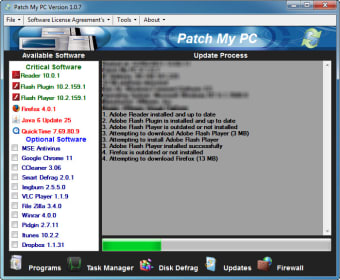
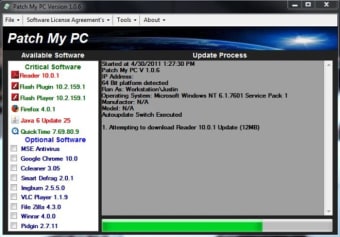
Patch My PC is a premium tool for PC devices and a Windows utility that helps users keep programs up-to-date. With it, system administrators can quickly push out updates to all the computers under their supervision within an organization, and it's scalable to accommodate any number of active users.
Top Recommended Alternative
Like Software Updater or IObit Software Updater, Patch My PC ensures that users will always have the latest programs installed and automate the whole process for them. This free trial will provide a preview of how it works, while multiple subscription options are available if they want to continue using it.
Pushing out updates
Large businesses and organizations employ a large number of computers in order to operate and system administrators are the ones who ensure all machines are working properly. That includes having working peripherals, access to the internet, and all necessary programs installed and updated. For the latter, Patch My PC is a handy piece of software that can help make things easier if you're an admin yourself.
Relying on Microsoft's own Configuration Manager and Intune endpoint management solutions, this program lets you make auto-create applications that you can push out to users, complete with icons, keywords, and others already included. Once deployed, it will be in charge of keeping all of them updated automatically, so you don't have to worry about them anymore and focus on other tasks.
As for deployment, you can add specific parameters using scripts to cater to various situations and working environments. Things you can do include force-closing apps before updating, enabling logging during installation, and others. With all these features on offer, there's a slight learning curve when you first start using it. Thankfully, the developers offer plenty of resources and guides on their official website.
An indispensable tool
If you work as a system administrator for a large company and want a better way to manage and push out program installs and updates, respectively, Patch My PC is a must-have. It seamlessly integrates with Microsoft's solutions and offers plenty of customization options for all types of needs. You'll need to do a bit of studying at first, but it's well worth the effort.